Skip to content
Auriga accounting
Edit Content
auriga accounting
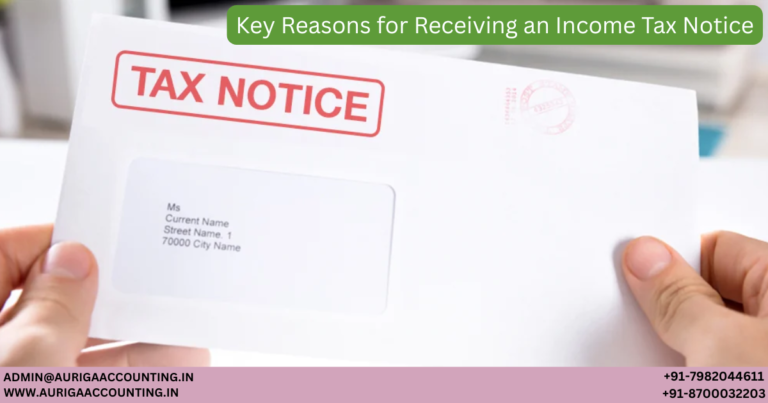
AURIGA ACCOUNTING PRIVATE LIMITED 2 Factor Authentication in e Invoice and e Way Bill Systems

What is Two-Factor Authentication (2FA)?

Two-Factor Authentication (2FA), also known as dual-factor authentication or two-step verification, is a security mechanism that requires users to verify their identity using two different methods. Typically, this involves something the user knows (like a password) and something they have (like an OTP).

2FA protects user credentials and restricts unauthorized access to sensitive systems. Once enabled, the same 2FA credentials can be used to access both the e-Invoice and e-Way Bill systems.

NIC's Mandate on Two-Factor Authentication

The National Informatics Centre (NIC) has introduced 2FA for selected taxpayers across the e-Invoice portals (NIC1 and NIC2) and the e-Way Bill portal. The rollout is structured by taxpayer turnover as follows:

Effective DateAnnual Aggregate Turnover (AATO)2FA Requirement
20th August 2023Above ₹100 CroresMandatory
11th September 2023₹20–100 CroresOptional (for early adoption)
1st January 2025₹20–100 CroresMandatory
1st February 2025₹5–20 CroresMandatory
1st April 2025All taxpayersMandatory

Purpose of Two-Factor Authentication

  • The Goods and Services Tax (GST) department introduced Two-Factor Authentication (2FA) with the following key objectives:

    • Improve System Access Efficiency: Streamline and secure user access to the e-Invoice and e-Way Bill portals.

    • Enhance System Reliability: Strengthen the resilience and stability of the e-Invoice system against potential threats.

    • Ensure a Secure User Environment: Protect users and their data by creating a safer digital experience across both platforms

Why Two-Factor Authentication is Essential for e-Invoicing and e-Way Bill Systems

  • Two-Factor Authentication (2FA) plays a vital role in securing access to GST-related digital platforms. Its importance stems from several key benefits:

    • Strengthened Login Security
      By requiring a second layer of verification (typically an OTP), 2FA significantly reduces the risk of unauthorized access, even if a password is compromised.

    • Protection of Sensitive Taxpayer Data
      e-Invoice and e-Way Bill systems house critical financial and transactional data. 2FA adds a safeguard to prevent data breaches, identity theft, and misuse.

    • Access Control and User Verification
      Even if login credentials are exposed, access is blocked without the secondary factor—usually an OTP sent to a registered device or generated through an app.

    • Regulatory Compliance
      The introduction of 2FA by the GSTN and NIC aligns with cybersecurity best practices and is mandatory for high-turnover businesses, reinforcing accountability.

    • Scalable Security for Growing Platforms
      As the user base grows, so does the need for a reliable security framework. 2FA is a scalable solution that helps maintain the integrity of GST platforms.

    • Fraud Mitigation
      Requiring identity confirmation at login helps prevent the generation of fake invoices and unauthorized creation of e-Way Bills, reducing fraudulent activities.

OTP Generation Methods for Login to e-Invoice & e-Way Bill Systems

To facilitate secure access, the GST e-Invoice and e-Way Bill portals offer three flexible OTP generation options:

  1. SMS
    OTP is sent to the assessee’s registered mobile number via text message.

  2. Sandes App
    A secure, government-developed messaging app. Users can receive OTPs directly after registering the app with their registered mobile number.

  3. NIC-GST Shield App
    A dedicated mobile app for OTP generation that works offline. Key features include:

    • Available for download only via the official e-Invoice or e-Way Bill portals.

    • Requires registration using the user’s registered mobile number.

    • OTP is refreshed every 30 seconds.

    • Does not require an internet connection.

    • App time must be synchronized with the GST system time for OTP validation
How to Register for Two-Factor Authentication

Follow these steps to enable 2FA on the e-Way Bill system:

  1. Log in to the e-Way Bill Portal.

  2. Navigate to the Main Menu and select “2-Factor Authentication.”

  3. Confirm your registration.

Once registered:

  • You must enter an OTP along with your login credentials each time you access the system.

  • Each sub-user under a GSTIN must register and authenticate individually using their registered mobile number.

  • The same 2FA credentials apply across both e-Invoice and e-Way Bill portals for a unified, secure login experience.

Simplify GST Compliance with IndiaFilings LEDGERS

Avoid the hassle of repeated OTP verifications with IndiaFilings LEDGERS—a comprehensive platform designed for seamless e-Invoicing and e-Way Bill management. With automated workflows, secure integration, and real-time GST tracking, LEDGERS ensures your business remains fully compliant without manual intervention.

Whether you’re a startup or an enterprise, LEDGERS simplifies GST processes with:

  • Effortless compliance

  • Expert support

  • Reduced operational load

Make the smart switch today and streamline your invoicing with IndiaFilings LEDGERS

About the Author

Muskan
Muskan is a skilled legal content writer who specializes in simplifying complex regulatory and business law topics. Her work equips entrepreneurs with practical insights and guidance, helping them confidently navigate legal requirements and run their businesses with clarity and compliance

January 8, 2026

new

RELATED ARTICLES

Untitled (1200 x 630 px) (92)
Tax Saving Options Beyond Section 80C
Tax Saving...
Untitled (1200 x 630 px) (91)
Section 80GGA: Tax Deductions for Scientific Research Donations
Section 80GGA:...
Untitled (1200 x 630 px) (90)
Form 10IE or Form 10IEA: Which Form Is Right for You?
Form 10IE...
Untitled (1200 x 630 px) (89)
Guide to Income Tax Notices for Salaried Employees
Guide to Income...
Untitled (1200 x 630 px) (88)
How to Verify and Authenticate an Income Tax Notice Online
How to Verify...
Untitled (1200 x 630 px) (87)
Handling Income Tax Notices on High-Value Cash Transactions
Handling Income...
Untitled (1200 x 630 px) (86)
How to Respond to Income Tax Notices After Filing ITR
How to Respond...
Untitled (1200 x 630 px) (85)
Old vs New Tax Regime (2025): Which Is Better for You?
Old vs New...
Untitled (1200 x 630 px) (83)
What Are the Common Mistakes Made While Filing an ITR?
What Are the...
×