Skip to content
Auriga accounting
Edit Content
auriga accounting
AURIGA ACCOUNTING PRIVATE LIMITED Untitled 1200 x 630 px 88

Receiving a communication from the Income Tax Department can understandably cause concern. However, not all such messages require immediate action. An intimation is generally issued to inform you about the processing status of your income tax return or the completion of an assessment, and in most cases, no response is required.

A notice, on the other hand, is more serious in nature. It is a formal communication that calls for a response, clarification, or specific action from the taxpayer. Income tax notices may be issued under various sections of the Income Tax Act for different reasons.

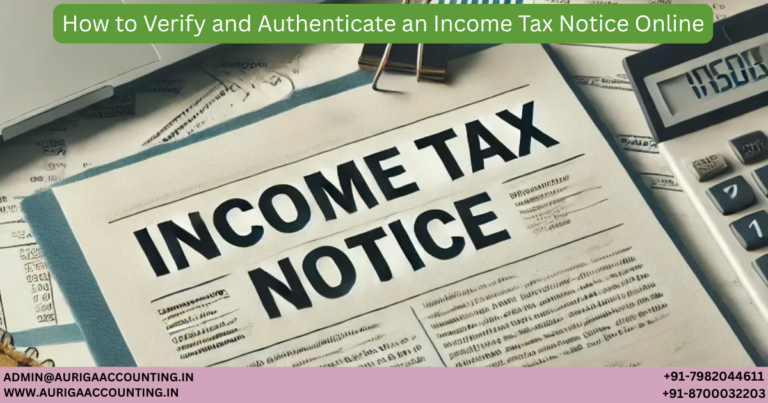
This guide explains how to check and authenticate income tax notices through the official online portal of the Income Tax Department. The Auriga Accounting pvt. ltd.  expert team also offers seamless support to help you manage and respond to income tax notices efficiently.
What Is an Income Tax Notice?

An Income Tax Notice is an official communication issued by the Income Tax Department to a taxpayer for various reasons, such as discrepancies in tax filings, incomplete or incorrect returns, or the need for additional information. These notices may also be issued to inform taxpayers about the processing of their returns or to initiate assessments or audits.

Each notice clearly outlines the issue involved, the relevant assessment year, the applicable section of the Income Tax Act, the action required from the taxpayer, and the deadline for response. Understanding the nature of the notice and responding accurately within the stipulated time is essential to remain compliant and avoid penalties or legal consequences.

Types of Income Tax Notices You May Receive

Before learning how to verify income tax notices online, it is important to understand the different types of notices issued by the Income Tax Department:

  • Intimation under Section 143(1): Issued by the Central Processing Centre (CPC) after processing your ITR. It highlights any mismatch between your filed return and department records, including tax payable or refunds.

  • Notice under Section 143(2): Indicates that your return has been selected for detailed scrutiny. You are required to submit additional documents or explanations to support your claims.

  • Notice under Section 148: Issued when the department believes income has been underreported or a return was not filed for a particular year.

  • Notice under Section 139(9): Sent when the return is defective due to missing or incorrect information. The taxpayer must rectify the defects within the prescribed time.

  • Notice under Section 245: Issued when a refund is due but there are outstanding tax demands from earlier years, allowing adjustment of the refund against pending dues.

Each notice serves a specific purpose and must be handled carefully to ensure timely resolution.

Common Reasons for Receiving an Income Tax Notice

Income tax notices are commonly issued due to discrepancies or non-compliance. Some frequent reasons include:

  • Failure to file the ITR within the prescribed due date

  • Mismatch between reported income and information received from employers, banks, or financial institutions

  • Errors or omissions in income, deductions, or tax credits

  • Suspected underreporting of income

  • Outstanding tax liabilities

  • Mismatch in TDS or TCS details

  • High-value financial transactions such as large cash deposits, property purchases, or foreign remittances

  • Initiation of assessment or reassessment proceedings under relevant sections

Being aware of these triggers can help taxpayers maintain accurate filings and reduce the likelihood of receiving a notice.

What to Do After Receiving an Income Tax Notice?

Receiving a notice can be stressful, but a systematic approach can help resolve it efficiently:

  1. Read the Notice Carefully: Understand why the notice was issued and what action is required.

  2. Verify Personal Details: Ensure your name, PAN, and address are correct.

  3. Identify the Discrepancy: Compare the notice details with your filed return to locate mismatches or errors.

  4. Respond Within the Deadline: Timely response is crucial to avoid penalties or escalation.

  5. Submit Complete Documentation: Provide all requested documents such as bank statements, TDS certificates, or investment proofs.

  6. Use the Income Tax Portal: Authenticate and respond to the notice only through the official e-filing portal.

Prompt and accurate action can help avoid further complications.

How to Check an Income Tax Notice Online

You can view and verify income tax notices using the Income Tax Department’s e-filing portal by following these steps:

Step 1: Access the e-Filing Portal

Visit the official Income Tax e-filing portal and go to your dashboard.

Step 2: Log In

Log in using your PAN, Aadhaar number, or User ID. Ensure your account is registered.

Step 3: Locate Notices

Once logged in, navigate to:

  • Filed Returns: e-File > Income Tax Returns > View Filed Returns

  • Pending Actions: Pending Actions > Worklist

  • e-Proceedings: Pending Actions > e-Proceedings

  • Outstanding Demands: Pending Actions > Respond to Outstanding Demand

These sections display all notices, intimations, and pending actions.

How to Authenticate an Income Tax Notice Online

After locating the notice, verifying its authenticity is essential.

Step 1: Open Authentication Page

On the e-filing portal homepage, click “Authenticate notice/order issued by ITD” under Quick Links.

Step 2: Choose Authentication Method

Method 1: Using PAN and Notice Details

  • Enter PAN, assessment year, document type, mobile number, and issue date

  • Validate using OTP sent to your registered mobile number

  • If authentic, the Document Identification Number (DIN) will be displayed

Method 2: Using DIN and Mobile Number

  • Enter the DIN and your mobile number

  • Validate using OTP

  • A success message confirms authenticity

If no record is found, the notice may not be valid.


After Authentication: Next Steps

  • Carefully read the notice to understand the requirement

  • Take the necessary corrective action or submit documents as requested

  • Save copies of the notice, response, and acknowledgments for future reference

For complex notices or uncertainty regarding compliance, professional assistance can ensure accurate and timely resolution. Auriga Accounting pvt. ltd. experts provide end-to-end support in verifying, responding to, and resolving income tax notices efficiently and compliantly.

About the Author

Dakesh

  • Dakesh breaks down complex legal regulations into clear, practical guidance, helping entrepreneurs remain compliant while building sustainable and scalable businesses.

January 8, 2026

new

RELATED ARTICLES

Untitled (1200 x 630 px) (92)
Tax Saving Options Beyond Section 80C
Tax Saving...
Untitled (1200 x 630 px) (91)
Section 80GGA: Tax Deductions for Scientific Research Donations
Section 80GGA:...
Untitled (1200 x 630 px) (90)
Form 10IE or Form 10IEA: Which Form Is Right for You?
Form 10IE...
Untitled (1200 x 630 px) (89)
Guide to Income Tax Notices for Salaried Employees
Guide to Income...
Untitled (1200 x 630 px) (88)
How to Verify and Authenticate an Income Tax Notice Online
How to Verify...
Untitled (1200 x 630 px) (87)
Handling Income Tax Notices on High-Value Cash Transactions
Handling Income...
Untitled (1200 x 630 px) (86)
How to Respond to Income Tax Notices After Filing ITR
How to Respond...
Untitled (1200 x 630 px) (85)
Old vs New Tax Regime (2025): Which Is Better for You?
Old vs New...
Untitled (1200 x 630 px) (83)
What Are the Common Mistakes Made While Filing an ITR?
What Are the...
×